- Industrial LCD display
-
Industrial Products
- DC Servo Drive
- AC Servo Drive
- other
- Heidelberg
- FANUC
- IFM
- Meter
- CCD
- Membrane Keypad
- Film
- YOKOGAWA Module
- Card
- ABB
- MITSUBISHI
- FANUC
- KEYENCE
- BECKHOFF
- Honeywell
- HOLLYSYS
- FUJI servo drives
- HP
- solenoid valve
- thermostat
- Siemens adapter
- color oscilloscope
- Fujitsu connector
- CHELIC
- SMC
- CISCO Module
- INTEL
- Key board
- FAIRCHILD
- Motherboard
- Board
- Bearing
- other
- Control Panel
- Contactor
- Circuit
- OMRON
- Relay
- Controller
- Photoelectric Switch
- Photoelectric Sensor
- Original
- Fan
- Motor Driver
- Limit Switch
- Amplifier
- power supply
- LENZE
- Cable
- Encoder
- Sensor
- Transformer
- Fiber Optic Sensor
- Protection Relay
- Temperature Controller
- Proximity Switch
- Switch Sensor
- Siemens
- Industrial board
- HMI Touch Glass
-
HMI Full Machine Whole unit
- OMRON HMI Touch Panel
- Siemens HMI Touch Panel
- Mitsubishi HMI Touch Panel
- Allen-Bradley automation HMI Touch Panel
- DELTA HMI Touch Panel
- EVIEW DELTA HMI Touch Panel
- KINCO DELTA HMI Touch Panel
- HITECH HMI Touch Panel
- WEINTECK HMI Touch Panel
- TECVIEW HMI Touch Panel
- WEINVIEW HMI Touch Panel
- PRO-FACE HMI Touch Panel
- SIMATIC HMI Touch Panel
- AMPIRE HMI Touch Panel
- HEIDELBERG HMI Touch Panel
- PANASONIC HMI Touch Panel
- PATLITE HMI Touch Panel
- KYOCERA HMI Touch Panel
- KEYENCE HMI Touch Panel
- WEINVIEW HMI Touch Panel
- HITECH HMI Touch Panel
- FUJI HMI Touch Panel
- HAKKO HMI Touch Panel
- SCHNEIDER HMI Touch Panel
- SAMKOON touch panel
- other
- Module
- lcd inverter
- Membrane Keypad Switch
- Winni Touch Screens
- Frequency Inverter
- Servo Motor
- PLC




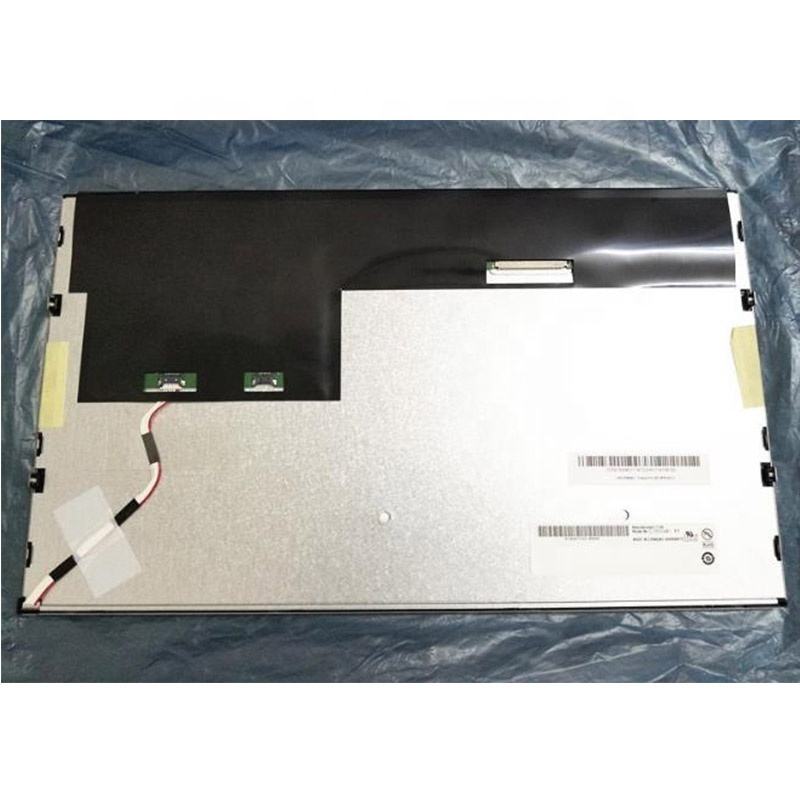
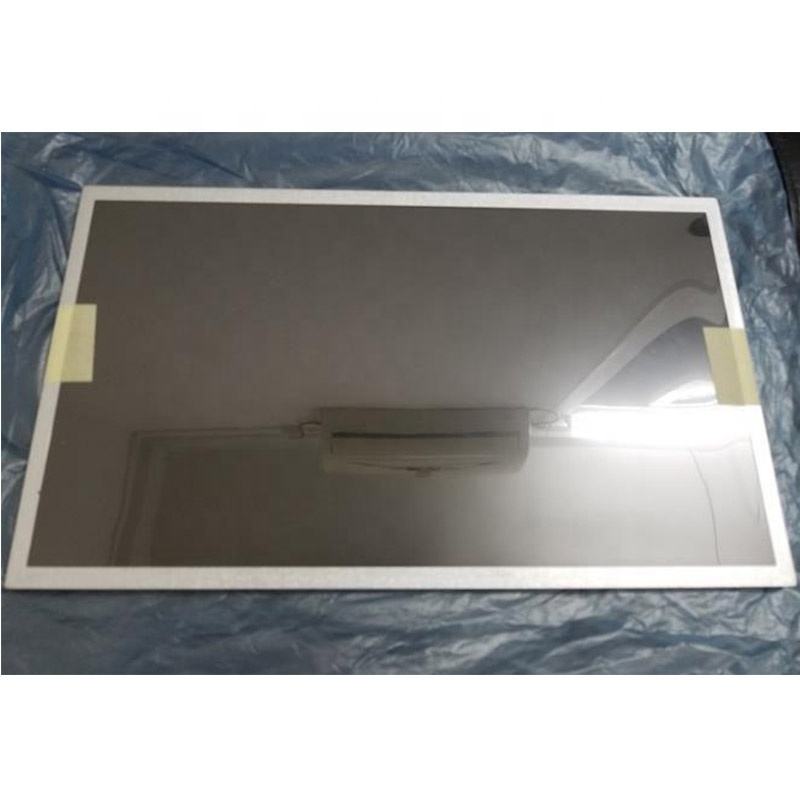
G156XW01 V302 AUO 15.6" TFT-LCD screen 1366*768 Display
In the intricate ecosystem of modern electronics, the display panel serves as the fundamental portal between user and machine. While consumers marvel at sleek device designs and powerful processors, it is often the quality of the screen that most directly defines the user experience. This article delves deep into the technical heart of one such critical component: the G156XW01 V302 TFT-LCD panel manufactured by AU Optronics (AUO). As a 15.6-inch display with a resolution of 1366 x 768 (HD+), this model represents a specific and historically significant tier in the laptop display hierarchy.
Our exploration moves beyond basic specifications. We will dissect its underlying technology, evaluate its performance characteristics in context, and understand its intended applications. By examining a component like the G156XW01 V302, we gain valuable insight into the engineering trade-offs—between cost, power consumption, and visual fidelity—that shape the devices used by millions. This analysis is crucial for technicians, procurement specialists, and informed consumers seeking to understand the true capabilities and limitations of their hardware.
Decoding the Model: AUO G156XW01 V302 Specifications
The alphanumeric code G156XW01 V302 is a precise technical identifier. "G" typically denotes a panel for notebook applications, "156" confirms the 15.6-inch diagonal size, and "XW" is AUO's internal project code. The "V302" indicates a specific revision or version of this panel model, often incorporating minor improvements or component sourcing changes over its lifecycle. The core specifications are defining: a 15.6-inch active area with an aspect ratio of 16:9, delivering a native resolution of 1366 x 768 pixels.
This HD+ resolution results in a pixel density of approximately 100 PPI (Pixels Per Inch), a figure that sets clear expectations for sharpness. The panel employs a standard RGB vertical stripe sub-pixel arrangement and uses Twisted Nematic (TN) film technology, which was the industry workhorse for years. Key interface details, such as it being a 30-pin LVDS (Low-Voltage Differential Signaling) connector, and its typical brightness of 200-220 nits, frame it as a solution designed for cost-effective, mainstream portable computing from its era.
TFT-LCD TN Technology: The Engine Behind the Image
To understand the G156XW01's behavior, one must understand its core technology: Twisted Nematic (TN) TFT-LCD. In a TN panel, liquid crystal molecules are naturally twisted 90 degrees between two substrate plates. Applying an electric voltage untwists these molecules to varying degrees, controlling the passage of light from a backlight through polarized filters. This mechanism allows for fast switching times, which was a key advantage.
However, this technology carries inherent trade-offs. TN panels are historically known for limited viewing angles, particularly in the vertical direction, where color shifting and contrast inversion can occur when viewed from above or below. Color reproduction is also typically narrower compared to more advanced IPS (In-Plane Switching) panels. The G156XW01 V302, as a TN panel, embodies these characteristics: it offers responsive performance suitable for general use but with clear visual compromises when viewed off-axis or when color-critical work is required.
The 1366x768 Resolution: Context and User Experience
The 1366 x 768 resolution, once the undisputed standard for mainstream and budget laptops, is a pivotal aspect of this panel's profile. In a 15.6-inch format, this resolution provides adequate screen real estate for basic productivity tasks, web browsing, and media consumption. However, by contemporary standards where Full HD (1920x1080) is the baseline, the limitations become apparent.
The primary user experience impact is on screen real estate and sharpness. Users will see less content on a single screen—fewer lines of text in a document, more scrolling required on web pages. The lower pixel density can make text and fine details appear slightly softer or more pixelated, especially to users accustomed to higher-PPI displays. This resolution defined an era of computing focused on accessibility and affordability, positioning the G156XW01 as a component for entry-level and mid-range systems where premium display quality was not the primary selling point.
Typical Applications and Integration
The G156XW01 V302 panel found its niche in a vast array of mainstream consumer and business laptops from the late 2000s through the early 2010s. It was the go-to display for models where balancing performance, battery life, and manufacturing cost was paramount. Its integration required careful design consideration from OEMs (Original Equipment Manufacturers).
The 30-pin LVDS interface dictated motherboard design, while the panel's power consumption profile influenced battery capacity and thermal management decisions. Its physical dimensions and bezel mounting points were standardized, allowing it to be a drop-in solution for various chassis designs. This panel was not intended for gaming laptops demanding high refresh rates or professional workstations needing color accuracy, but rather as a reliable, economical visual interface for everyday computing tasks in millions of machines worldwide.
Performance Analysis: Strengths and Limitations
A balanced performance analysis reveals a component optimized for specific parameters. Its strengths lay in its responsiveness and efficiency. TN technology enabled relatively fast pixel response times, reducing motion blur in everyday use, which was favorable for basic video playback. Furthermore, its manufacturing maturity and simpler structure made it inexpensive and power-efficient, contributing to longer laptop battery life—a critical selling point.
Conversely, its limitations are pronounced by modern metrics. The narrow viewing angles are its most significant drawback for collaborative work or flexible screen positioning. Color gamut coverage is typically around 45-55% of the NTSC standard, resulting in less vibrant and accurate colors. The moderate brightness level can struggle in brightly lit environments. These factors collectively define it as a functional but non-premium display solution.
Replacement and Compatibility Considerations
For technicians and users seeking to repair or upgrade an older laptop, understanding compatibility is crucial when sourcing a G156XW01 V302 or its equivalent. The replacement process involves verifying several key parameters beyond just screen size and resolution. The physical interface (30-pin LVDS), the connector placement (left, right, or center), and the panel thickness must match.
Furthermore, the EDID (Extended Display Identification Data) information stored on the panel must be readable by the host laptop's BIOS and graphics controller to ensure proper resolution and refresh rate detection. While direct replacements are available, this is also a common scenario for considering an upgrade to a higher-resolution IPS panel, provided the laptop's LVDS interface and chassis can support the new panel's requirements—a complex but rewarding endeavor.
FAQs: G156XW01 V302 Display Panel
Q1: What is the G156XW01 V302 screen used for?
A1: It is a 15.6" HD (1366x768) TN LCD panel primarily used as a display in mainstream and budget-oriented laptops.
Q2: Who manufactures this panel?
A2: It is manufactured by AU Optronics (AUO), a major Taiwanese display panel producer.
Q3: Is this a Full HD screen?
A3: No, its resolution is 1366x768 (HD+), which is lower than Full HD (1920x1080).
Q4: What are the main drawbacks of this screen type?
A4: The main drawbacks are limited viewing angles (especially vertical), relatively narrow color gamut, and lower sharpness compared to higher-resolution panels.
Q5: Can I replace it with an IPS panel?
A5: Possibly, but you must ensure compatibility with the laptop's LVDS interface, connector type, physical dimensions, and mounting points.
Q6: What does "V302" mean in the model number?
A6: "V302" denotes the version or revision number of this specific panel model, indicating minor internal revisions from earlier versions.
Q7: What is the typical brightness of this panel?
A7: Typical brightness ranges around 200-220 nits (candelas per square meter).
Q8: Is it suitable for photo editing or graphic design?
A8: Not recommended. Its limited color accuracy and viewing angles make it unsuitable for color-critical professional work.
Q9: What type of connector does it use?
A9: It typically uses a standard 30-pin LVDS (Low-Voltage Differential Signaling) connector.
Q10: Where can I find a replacement for this screen?
A10: Replacement panels can be found through specialized electronics parts distributors, online marketplaces, and panel resellers by searching the exact model number.
Conclusion
The AUO G156XW01 V302 panel stands as a testament to a specific era in personal computing, where the balance between performance, cost, and efficiency was struck in favor of mass accessibility. Its 15.6-inch form factor with 1366x768 resolution, built on TN technology, powered a generation of laptops that brought computing to a vast global audience. Our technical dissection reveals a component with clear, context-dependent strengths—notably its responsiveness and power efficiency—alongside inherent limitations in viewing angles and color fidelity that defined the user experience of its time.
Understanding such a component in depth provides more than just specification literacy; it offers a lens through which to evaluate the evolution of display technology and make informed decisions regarding repair, upgrade, or historical assessment of hardware. While superseded by IPS and higher-resolution standards, the legacy of panels like the G156XW01 V302 is embedded in the foundational progress of the mobile digital world.